Finger Snap Horse AI Video – Create a Viral AI Horse Video
AI videos are getting more creative every day, and the Finger Snap Horse AI Video trend is a fun example of how a simple hand movement can create a surprising transformation.
In this trend, a person snaps their fingers and a realistic horse suddenly appears, changes, runs into the scene, or becomes part of a cinematic transformation. The quick transition makes the video perfect for TikTok, Instagram Reels, YouTube Shorts, and Facebook Reels. Also see most viral reel template Chalray Chalray Vaal Trending CapCut Template 2026
You can create this type of video with an AI video generator by using a clear image, a strong transformation prompt, and a short cinematic sequence.
What Is the Finger Snap Horse AI Video Trend?
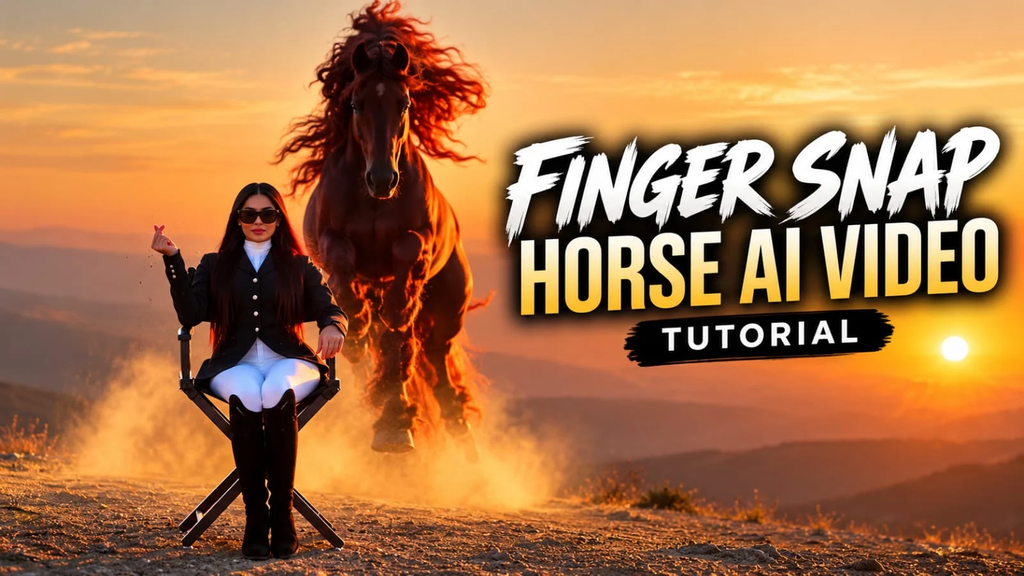
The Finger Snap Horse AI Video is an AI transformation trend where a finger snap works as the main visual trigger.
The video usually starts with a person standing, walking, or posing. They raise their hand and snap their fingers. At that exact moment, an AI-generated horse appears or the entire scene changes.
The best versions make the transformation look almost instant. This creates a strong surprise effect in the first few seconds.
Finger-snap transitions are also useful beyond horse videos. The same idea can be used for outfit changes, location changes, character transformations, animals, fantasy scenes, and cinematic effects.
Why Is the Finger Snap Horse Video Trending?
There are several reasons this type of AI video works well for short-form content.
1. The Transformation Is Easy to Understand
Viewers immediately understand what is happening. A person snaps their fingers and something unexpected happens.
2. The Horse Creates a Strong Visual Hook
A realistic horse suddenly appearing in a normal scene feels surprising and unusual. That makes people more likely to stop scrolling.
3. Short Videos Work Better for the Effect
The complete idea can often be shown in 6–15 seconds. This makes the trend suitable for Shorts and Reels.
4. AI Makes Realistic Transformations Possible
Modern AI video tools can create realistic animals, cinematic environments, camera movement, lighting, and transformation effects.
5. It Can Be Made From One Image
Some AI video tools support image-to-video workflows. You can start with a reference image and use a prompt to control the movement and transformation.
Best Finger Snap Horse AI Video Ideas
You do not have to make every video the same. Try different versions of the trend.
Person Snaps and a Horse Appears
A person stands in an open field. They snap their fingers and a beautiful horse instantly appears beside them.
Person Turns Into a Horse
The person snaps their fingers and their body transforms into a powerful horse.
Horse Appears Behind the Person
The person looks at the camera and snaps. A horse suddenly appears behind them and starts walking forward.
Horse Transformation in a City
Start with a person standing on a modern city street. After the snap, the environment changes into a cinematic horse-riding scene.
Fantasy Horse Transformation
Use glowing particles, fog, moonlight, and a powerful black horse for a fantasy-style video.
Royal Horse Scene
The person snaps their fingers and suddenly appears beside a majestic white horse in a royal palace or open field.
Cowboy Horse Transformation
Create a western-style scene where a person snaps their fingers and a realistic horse appears beside them.
Black Horse Cinematic Edit
Use a black horse, dramatic lighting, slow motion, dust, and a dark cinematic background.
White Horse Angel Transformation
Create a bright fantasy scene where a white horse appears with soft light and glowing particles.
Horse Running Toward the Camera
The person snaps their fingers and a horse suddenly appears in the distance and runs toward the camera.
Finger Snap Horse AI Video Prompt
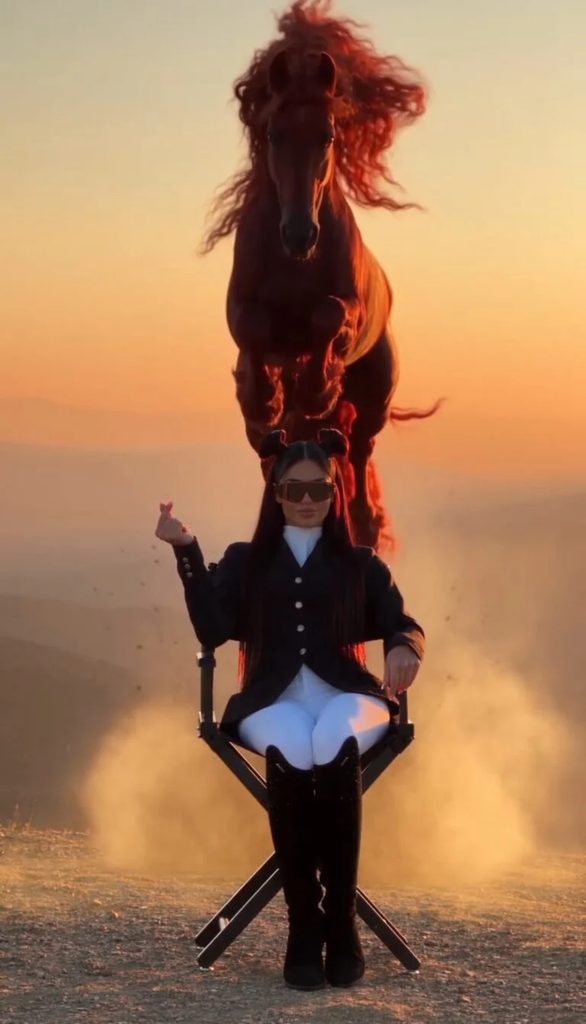
Use this prompt for an AI video generator:
Viral Finger Snap Horse Prompt – Cinematic Version
Best AI Video Tools for This Trend
Different AI video generators can be used for this type of content.
Flow AI
Flow can be useful when you want cinematic AI scenes and image-to-video style workflows. Use a strong reference image and clearly describe the snap and transformation.
Veo
Veo-style video generation works well for cinematic scenes where camera movement, realistic environments and natural motion are important.
Kling AI
Kling can be useful for realistic character and animal movement. A good reference image can help maintain a consistent subject.
Seedance
Seedance prompts often use detailed timing, camera direction and trigger-based transitions. A finger snap can be written as the exact trigger for the transformation.
Other AI Video Generators
You can also test other image-to-video and text-to-video tools. The important part is not only the tool. Your prompt should clearly explain the subject, movement, camera, transformation timing and final scene.
How to Create a Finger Snap Horse AI Video
Step 1: Create Your Starting Image
Create a realistic image of a person standing in your chosen location.
A simple background usually works better than a very busy scene.
Step 2: Choose the Horse Style
Decide what type of horse you want.
You can choose:
Step 3: Upload the Reference Image
Upload your starting image to an AI video generator that supports image-to-video generation.
Step 4: Add the Finger Snap Action
Tell the AI exactly when the person snaps their fingers.
For example:
“Raise the right hand and snap once at the 3-second mark.”
Step 5: Describe the Horse
Tell the AI what should happen immediately after the snap.
For example:
“On the exact snap, a realistic black horse appears beside the person.”
Step 6: Control the Camera
Add camera instructions such as:
Step 7: Generate Short Clips
Start with a short video around 6–12 seconds. Short clips make the transformation easier to control.
Step 8: Edit the Final Video
After generating the clip, use your preferred video editor to add music, sound effects, captions, slow motion, or a final zoom.
Tips to Make Your Horse AI Video More Realistic
Use One Main Action
Do not ask the AI to perform too many complicated actions at the same time.
Keep the main action simple:
Snap → Horse appears → Horse moves.
Describe the Exact Trigger
The finger snap should be clearly written as the trigger.
Use phrases like:
“at the exact moment of the snap”
or
“immediately after the finger snap.”
Keep the Camera Simple
A complicated camera movement can make the AI video unstable.
Start with a static or slow-moving camera.
Use a Clear Reference Image
A clean image with a visible person and background can make the final result easier to control.
Keep the Horse Anatomically Correct
Mention realistic horse anatomy, natural legs, realistic hooves, natural mane movement and correct body proportions.
Add Realistic Lighting
Golden-hour sunlight, soft shadows and natural reflections can make an AI horse look more believable.
Avoid Too Many Effects
Particles and glowing effects can look good, but too many effects can make the video look artificial.
Trending Horse AI Video Variations
The same concept can be turned into many different videos.
Snap to Horse Riding
Snap your fingers and instantly appear riding a horse.
Snap to Wild Horse
Snap and create a wild horse running through a field.
Snap to Black Horse
Use a dark cinematic environment with a powerful black horse.
Snap to White Horse
Create a bright, elegant scene with a white horse.
Snap to Fantasy Horse
Add magical lighting, fog and fantasy scenery.
Snap to Horse Race
Snap your fingers and suddenly appear at a horse racing track.
Snap to Desert Horse
Use a large desert, sunset lighting and a fast-running horse.
Snap to Mountain Horse
Create a cinematic mountain scene with a horse standing near the character.
Snap to Medieval Horse
Turn the scene into an old royal or medieval environment.
Snap to Futuristic Horse
Combine a realistic horse with a futuristic city and cinematic neon lighting.
Common Problems With Finger Snap Horse AI Videos
The Fingers Look Wrong
AI video generators can sometimes create strange fingers or hand movements.
Solution: Use simple hand movement and clearly describe one finger snap.
The Horse Has Distorted Legs
This can happen during fast movement.
Solution: Ask for realistic horse anatomy and slower movement.
The Horse Changes Appearance
The horse may change color or body shape during the clip.
Solution: Describe the horse consistently and use a reference image if your tool supports it.
The Snap Does Not Trigger the Transformation
The AI may not follow exact timing.
Solution: Make the action sequence very clear:
Raise hand → snap → instant horse appearance.
The Face Changes
The person’s face may become inconsistent.
Solution: Use a clear reference image and tell the model to preserve facial identity.
The Video Looks Too Artificial
Too many effects can make the scene look fake.
Solution: Reduce particles and focus on realistic lighting, shadows and natural movement.
Horse Movement Looks Strange
Fast running can create unnatural legs.
Solution: Start with walking or standing movement before trying a full-speed horse run.
How to Make the Video More Viral
The first few seconds are important.
Start with a visually interesting scene instead of a long introduction.
Make the snap easy to see.
Keep the transformation quick.
Use a satisfying sound effect at the snap.
Show the horse clearly after the transformation.
Try a loop where the ending returns to a pose similar to the beginning.
You can also create several versions with different horse colors and locations and compare which one performs better.
Best Captions for Finger Snap Horse AI Video
Here are some short caption ideas:
“One snap changed everything.”
“What happened after the snap?”
“AI horse transformation.”
“Would you try this trend?”
“The horse appeared with one snap.”
“This AI transformation looks unreal.”
“Wait for the finger snap.”
Best Hashtags for Horse AI Videos
Use relevant hashtags instead of filling the caption with unrelated tags.
#AIHorse
#AIVideo
#AIVideoEdit
#AITransformation
#HorseTransformation
#AIArt
#AIEditing
#AIViral
#ViralAI
#AIVideoGenerator
#HorseVideo
#AIPrompt
#AIReels
#YouTubeShorts
#InstagramReels
Conclusion
The Finger Snap Horse AI Video trend is a simple but powerful AI video idea. The combination of a visible finger snap, instant transformation and realistic horse movement creates a strong visual hook.
For the best result, keep the prompt simple, use a clear reference image, control the camera and focus on one main transformation. Try different horse colors, locations and cinematic styles to create your own version of the trend.